Understanding your dashboard
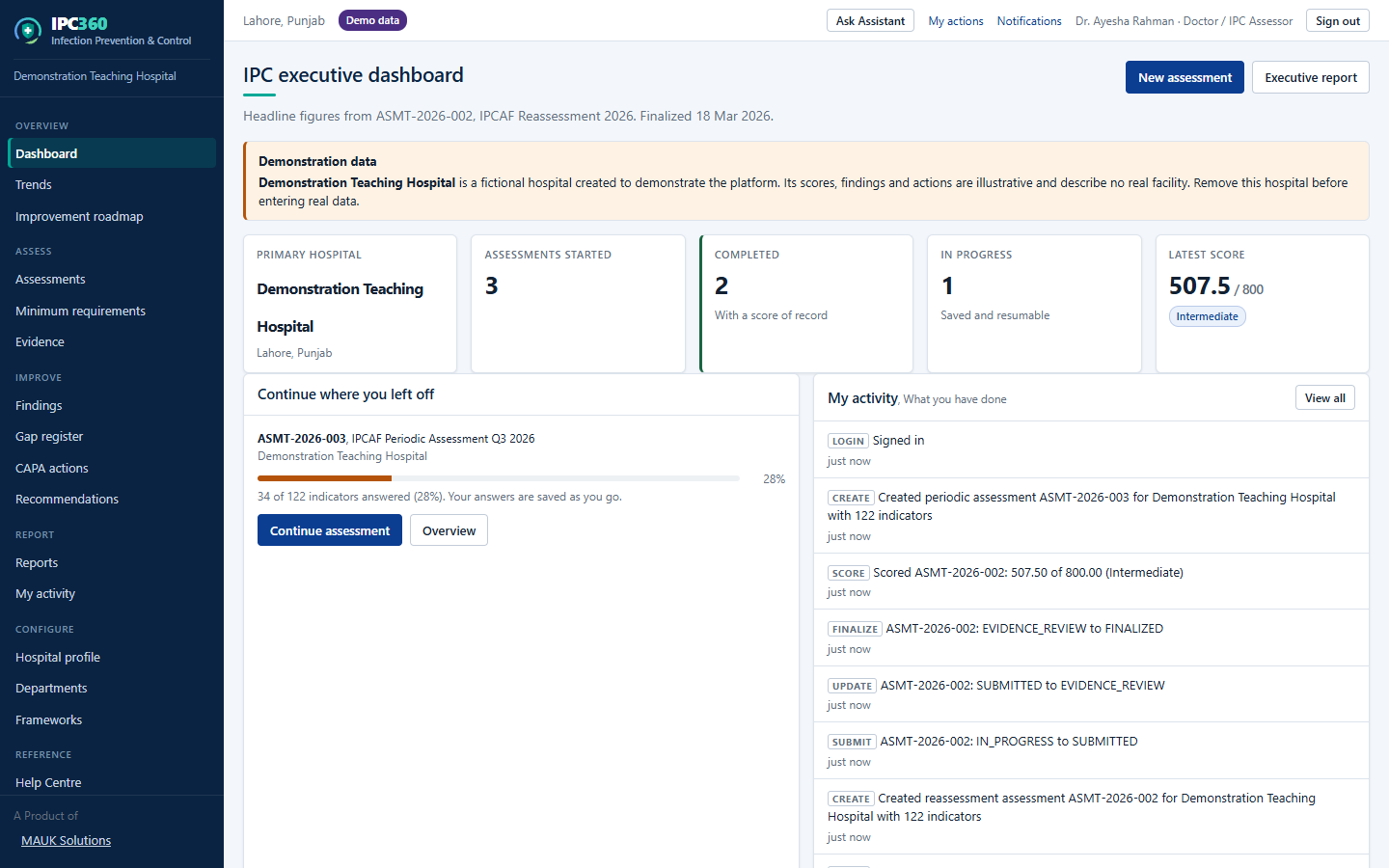
Your dashboard answers three questions: where you are assessing, what you have open, and what you scored last time.
The summary strip
- Primary hospital: the facility preselected when you start a new assessment.
- Assessments started: everything you have created.
- Completed: assessments that have been finalized and carry a score of record.
- In progress: saved drafts you can resume.
- Latest score: your most recent completed result, with its IPC level.
Below the strip
- “Continue where you left off” resumes your most recent draft, with its completion percentage.
- “My activity” lists what you have done, assessments created, drafts saved, reports generated.
- The executive dashboard beneath shows the headline figures for the current assessment: score, IPC level, completion and movement since the previous assessment.
Note: Every figure is counted from your own assessments. A colleague’s private assessment at the same hospital is not included.
Source: IPC360 Help · Your dashboard
Related
- Starting an assessmentSelect New assessment, choose the framework, the hospital and the assessment type, and IPC360 creates a draft with every indicator ready to answer.
- Your primary hospitalYour primary hospital is the hospital your account belongs to: the one you set up when you created your account, or the one an administrator assigned you. It is preselected whenever you start a new assessment.
- My activityMy activity lists what you have done in IPC360, assessments created, drafts saved, assessments finalized and reports generated.
Did this answer your question?
Ask IPC360 Assistant if you need this applied to your own assessment, or contact the MAUK Solutions team.
See also: Opening a report · What IPC360 is · Resuming an assessment