The welcome guide
A six-step introduction shown on your dashboard the first time you sign in; you can dismiss it and reopen it from the Help Centre at any time.
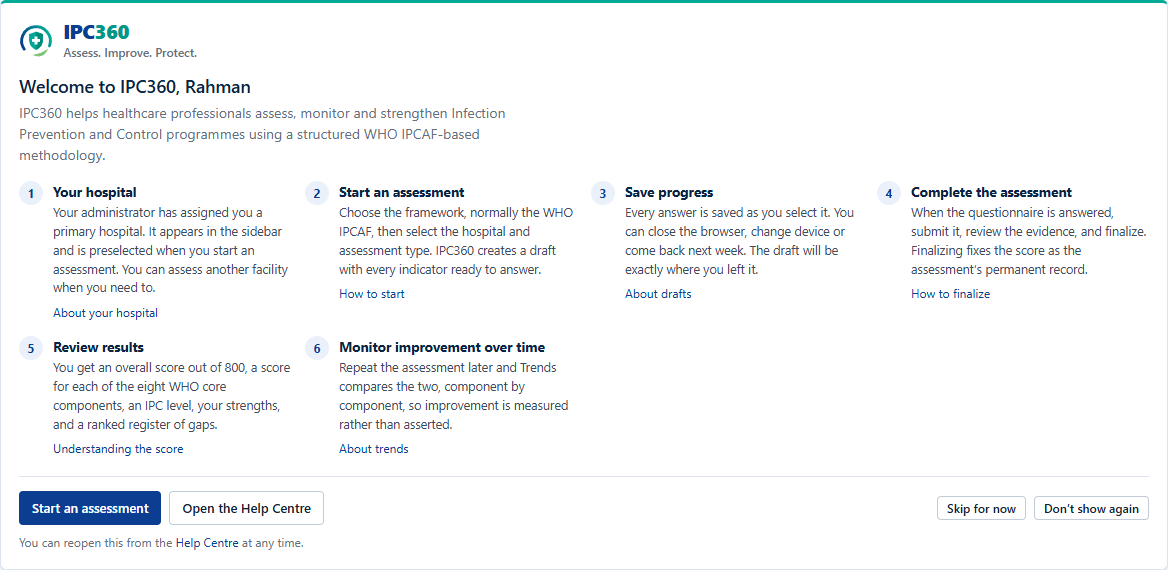
The welcome guide sets out how IPC360 is used, end to end:
- Your hospital: check the facility you are assessing.
- Start an assessment: choose the framework and the hospital.
- Save progress: answers are saved as you go; leave and come back.
- Complete the assessment: submit, review evidence, finalize.
- Review results: score, IPC level, strengths and gaps.
- Monitor improvement: repeat the assessment and compare.
Dismissing and reopening it
“Skip for now” hides the guide until your next sign-in. “Don’t show again” hides it permanently. Neither affects anything else.
To bring it back, open the Help Centre and select “Show the welcome guide again”.
Source: IPC360 Help · The welcome guide
Related
- Understanding your dashboardYour dashboard answers three questions: where you are assessing, what you have open, and what you scored last time.
- Starting an assessmentSelect New assessment, choose the framework, the hospital and the assessment type, and IPC360 creates a draft with every indicator ready to answer.
Did this answer your question?
Ask IPC360 Assistant if you need this applied to your own assessment, or contact the MAUK Solutions team.
See also: Setting up your account · Changing your initial password · A hospital’s progress over time