Using the Help Centre
Search IPC360 guidance in your own words, browse it by task, and follow related articles without needing an account or leaving the product.
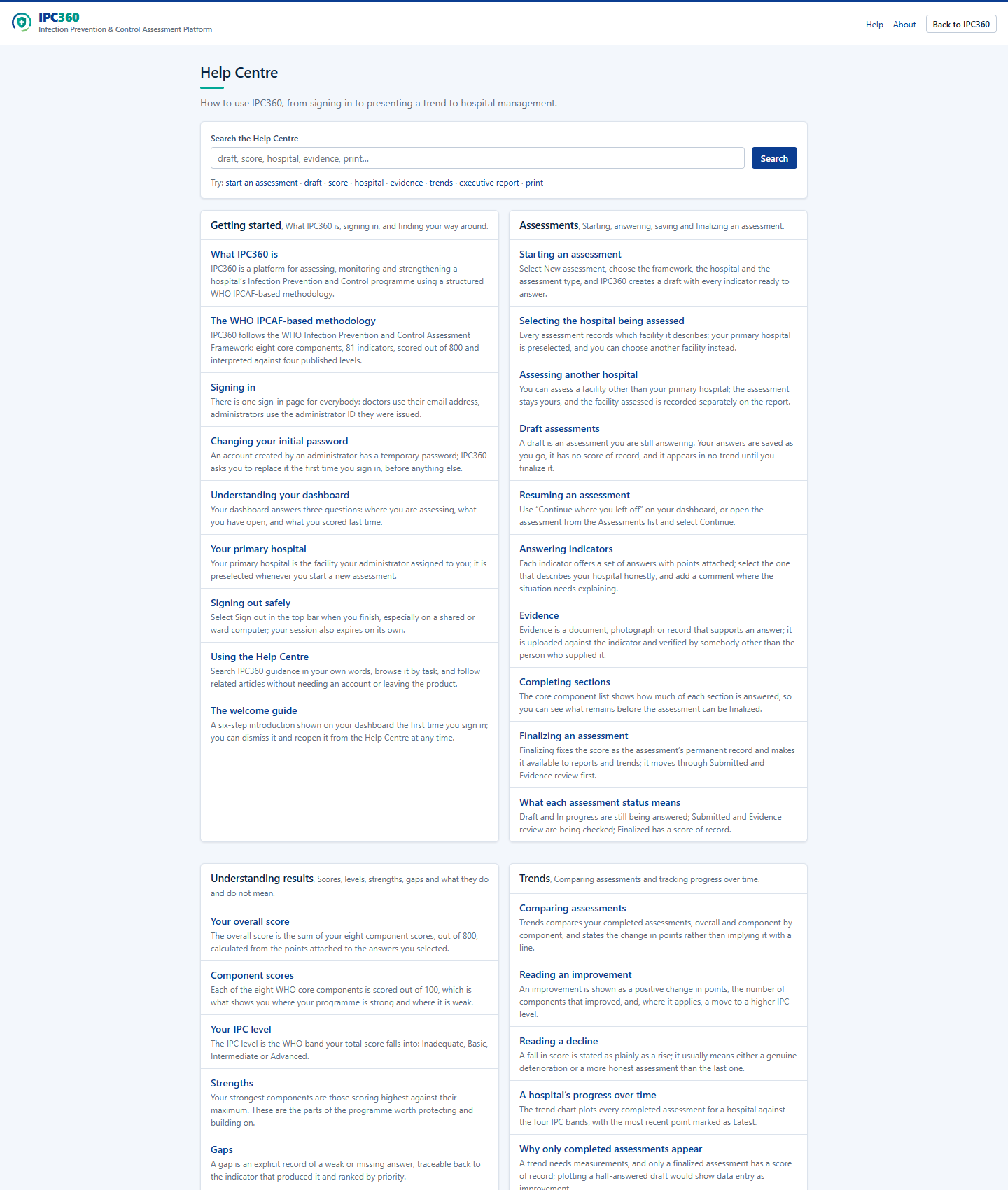
Open Help Centre from the sidebar, the public top bar, or a contextual help link. The same guidance is available before and after sign-in.
Enter a word or short phrase such as "draft", "score", "evidence" or "print". Results are ranked locally from the IPC360 knowledge base and do not send the query to an external search service.
What you will see
- Guidance grouped around the job you are doing: getting started, assessments, results, trends, reports, account access and support.
- Only instructions relevant to your role. Administrator guidance is shown to administrators and withheld from doctors.
- Related articles and named sources so you can continue from an answer to its basis.
Source: IPC360 Help · Help Centre
Related
- The welcome guideA six-step introduction shown on your dashboard the first time you sign in; you can dismiss it and reopen it from the Help Centre at any time.
- Using IPC360 AssistantIPC360 Assistant answers questions about using IPC360, about IPCAF concepts, and about your own assessment results, and hands you to the MAUK Solutions team when it cannot help.
- Contacting MAUK SolutionsThe MAUK Solutions team can help with IPC360 setup, access, product support and technical issues, by email, and by WhatsApp where a number has been configured.
Did this answer your question?
Ask IPC360 Assistant if you need this applied to your own assessment, or contact the MAUK Solutions team.
See also: I cannot sign in