Answering indicators
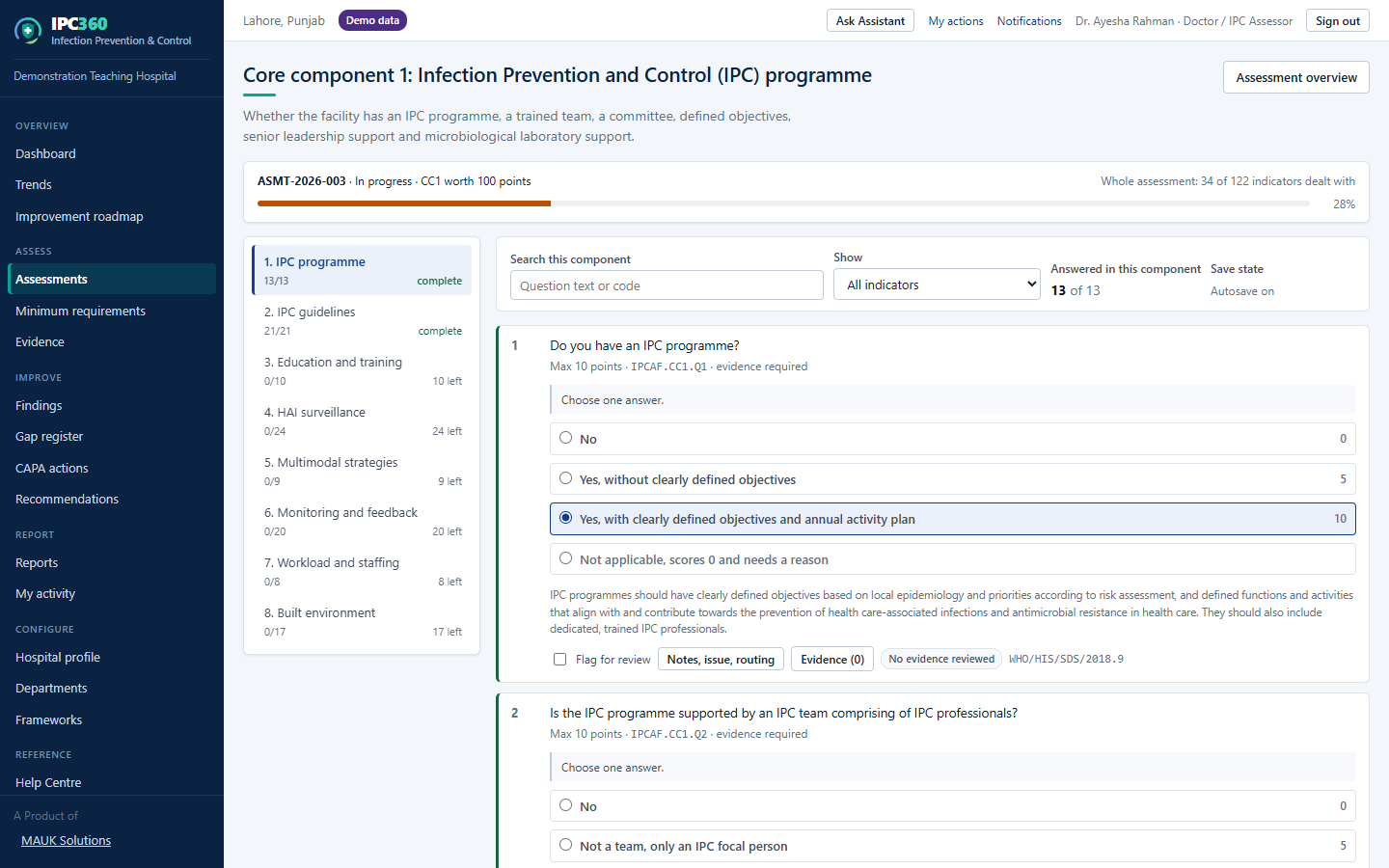
Each indicator offers a set of answers with points attached; select the one that describes your hospital honestly, and add a comment where the situation needs explaining.
How to answer
- Read the indicator. The wording is the WHO text, unchanged.
- Select the answer that matches reality, not the answer you would like to be true.
- Add a comment if the answer needs context, for example a policy that exists but is not yet implemented everywhere.
- Attach evidence where you have it (see “Evidence”).
- Move to the next indicator. Your answer is already saved.
Marking an indicator not applicable
Where an indicator genuinely does not apply to your facility, mark it not applicable and give the reason. Use this sparingly: WHO’s instrument has no not-applicable answer, so each one reduces how comparable your total is with the published bands. IPC360 states the number of not-applicable indicators on the report for exactly that reason.
Note: An honest low answer is more useful than a generous one. The value of the assessment is in knowing where the gaps are.
Source: IPC360 Help · Answering the questionnaire · WHO IPCAF · Indicator wording
Related
- EvidenceEvidence is a document, photograph or record that supports an answer; it is uploaded against the indicator and verified by somebody other than the person who supplied it.
- Completing sectionsThe core component list shows how much of each section is answered, so you can see what remains before the assessment can be finalized.
- Component scoresEach of the eight WHO core components is scored out of 100, which is what shows you where your programme is strong and where it is weak.
Did this answer your question?
Ask IPC360 Assistant if you need this applied to your own assessment, or contact the MAUK Solutions team.
See also: Starting an assessment · Using IPC360 Assistant · Gaps